![Untitled design (24)-1.png]](https://help.zenventory.com/hs-fs/hubfs/Logos/Untitled%20design%20(24)-1.png?width=60&height=60&name=Untitled%20design%20(24)-1.png)
Zenventory allows users to generate shipping manifests at any given point in time. Each shipping manifest will include shipments that are awaiting carrier pickup. Users can also reprint any previously generated shipping manifests.
How to Create a Shipping Manifest
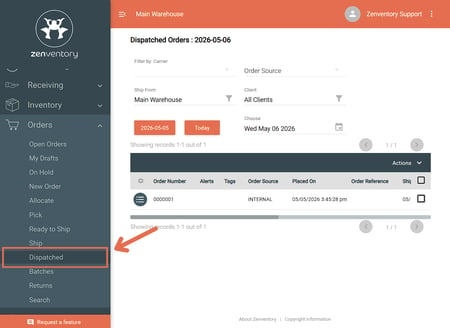
- Open the Orders dropdown menu and select Dispatched.
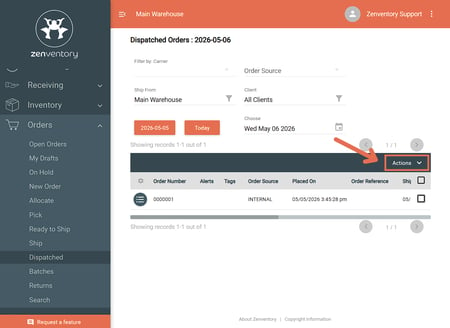
- Click the Actions dropdown menu.
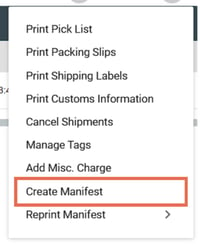
- Select the Create Manifest dropdown option.
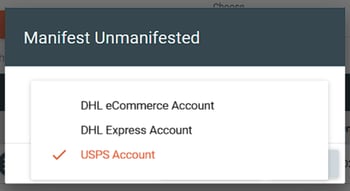
- Select the Carrier Accounts to manifest
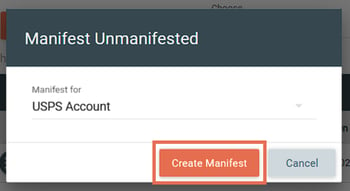
- Click the Create Manifest button.
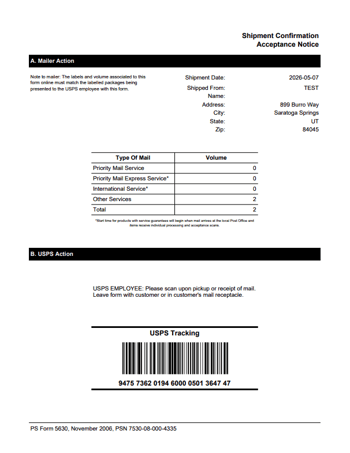
- The generated shipping manifest will open in a new tab.
How to Reprint a Shipping Manifest
- Navigate to the Orders > Dispatched page
- Click the Actions dropdown menu
- Click the Reprint Manifest option
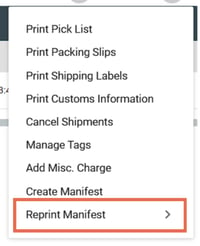
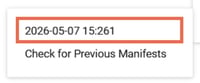
- Click the Check for Previous Manifests pop-out option.
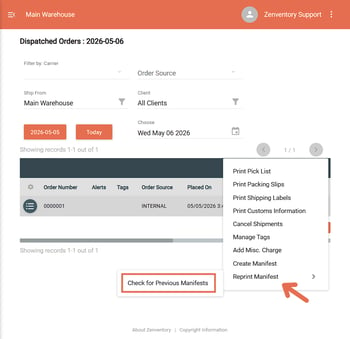
- If a previous manifest is found, a new button will appear.
- Click the new date button to reprint the manifest.