![Untitled design (24)-1.png]](https://help.zenventory.com/hs-fs/hubfs/Logos/Untitled%20design%20(24)-1.png?width=60&height=60&name=Untitled%20design%20(24)-1.png)
In this article, you'll learn how to add your own carrier account to the ZenShip shipping engine.
Add a Carrier
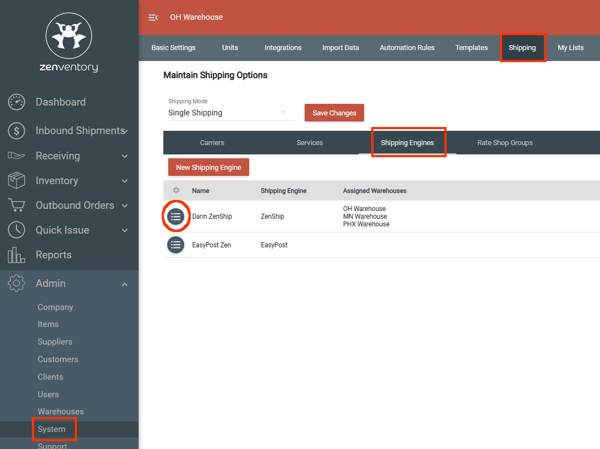
- Navigate to the Admin>System>Shipping>Shipping Engines page
- Click the 3-bullet point icon to the left of your ZenShip engine
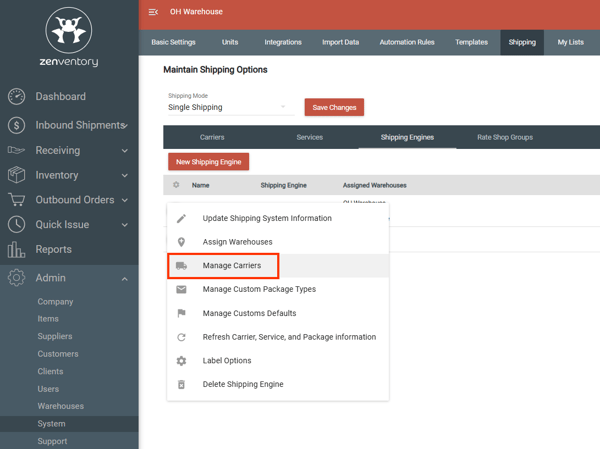
- Choose the "Manage Carriers" option
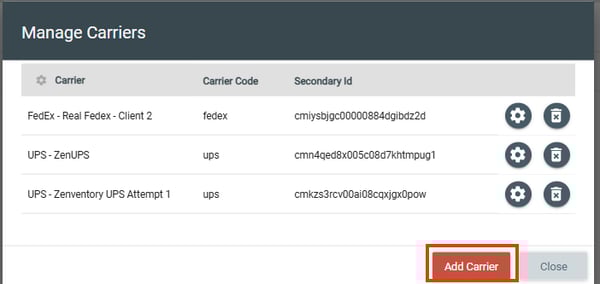
- Hit the "Add Carrier" button
- Choose your carrier and enter the required information
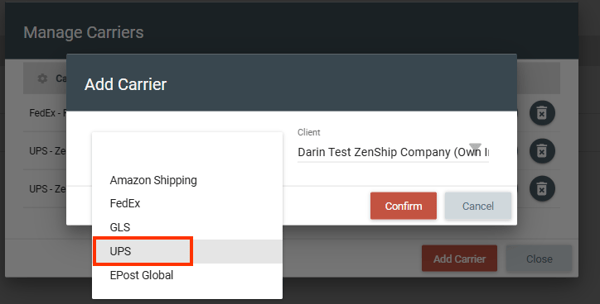
- Follow any additional prompts on screen to finalize the connections. Each carrier's required information is a little different.